






 Black Forest Labs · in MakeUGC
Flux 2 Pro
photoreal 4K images
Black Forest Labs' image model inside MakeUGC. Photoreal product and lifestyle shots in 4K, with natural light, real textures and true-to-life detail.
 Flux 2 Pro
 Flux 2 Pro
 Flux 2 Pro
Powering 10,000+ brands and agencies








What is Flux 2 Pro
best at?
The model to pick when the image has to look like a real photo.
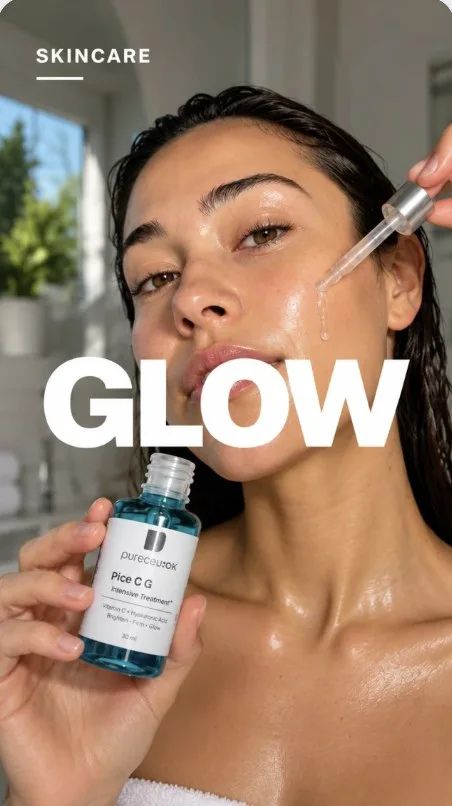
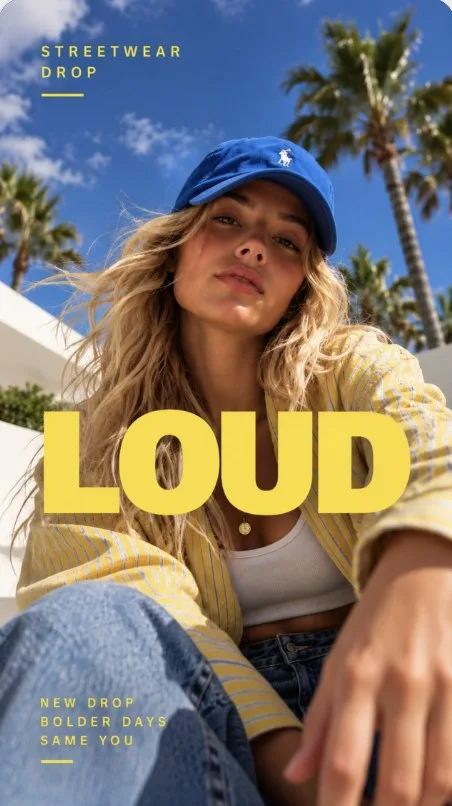
PhotorealismStrongestNatural light, real skin, real materials. Flux 2 Pro images look like they came out of a camera, not a model.
- 4K output for big screens and print
- True-to-life skin, fabric and surfaces
- Great for hero images and lookbooks
Product & lifestyleFlexibleFrom clean studio packshots to sunny lifestyle scenes, describe the shot and Flux 2 Pro builds it around your product.
- Packshots without a photo studio
- Lighting and mood in plain words
- Add your product as a reference
Text to image or
image to image?
Start from a prompt, or start from your own image and change only what you need.
Describe it, get the image
Write the scene, the product and the headline. Flux 2 Pro renders the whole ad as a photoreal 4K image.
Your product, new scene
Upload your image and describe the new look. Flux 2 Pro rebuilds the scene and keeps what matters.

How to use Flux 2 Pro
in MakeUGC
Three steps in the studio.
Pick a model
Flux 2 ProSelected Nano Banana Pro
Choose Flux 2 Pro from the model list.
Prompt or upload
Describe the image and add your product or a reference.
Set size & generate
Pick the size, generate, and the image is saved to your library.
Image ads made
with Flux 2 Pro
Statics, posters and product shots, ready for Meta, TikTok and Pinterest.
Flux 2 ProFlux 2 ProFlux 2 Pro Flux 2 Pro
 Flux 2 Pro
Which other image
models can I use?
Every model runs on the same credits, so you can switch per image.
What is Flux 2 Pro?
Black Forest Labs' image model for photoreal 4K images. It's built for product and lifestyle shots that look like real photography, and it's available in MakeUGC.
When should I use Flux 2 Pro?
When the image needs to look like a real photo, in 4K. For ads that are mostly headline text, GPT Image 2 may suit better.
Can I edit my own images?
Yes. Upload an image and describe the change, like a new background or headline.
How much does an image cost?
It uses your MakeUGC credits, based on the model and size. The exact cost is shown on the Generate button.
How does "Start for $1" work?
Choose a plan and try it for $1. Your checkout shows the trial duration and renewal amount for your billing period. It renews at the plan price unless you cancel from your account.
Make your first Flux 2 Pro image
Photoreal 4K images in one prompt box. Start for $1.
Get started for $1 →